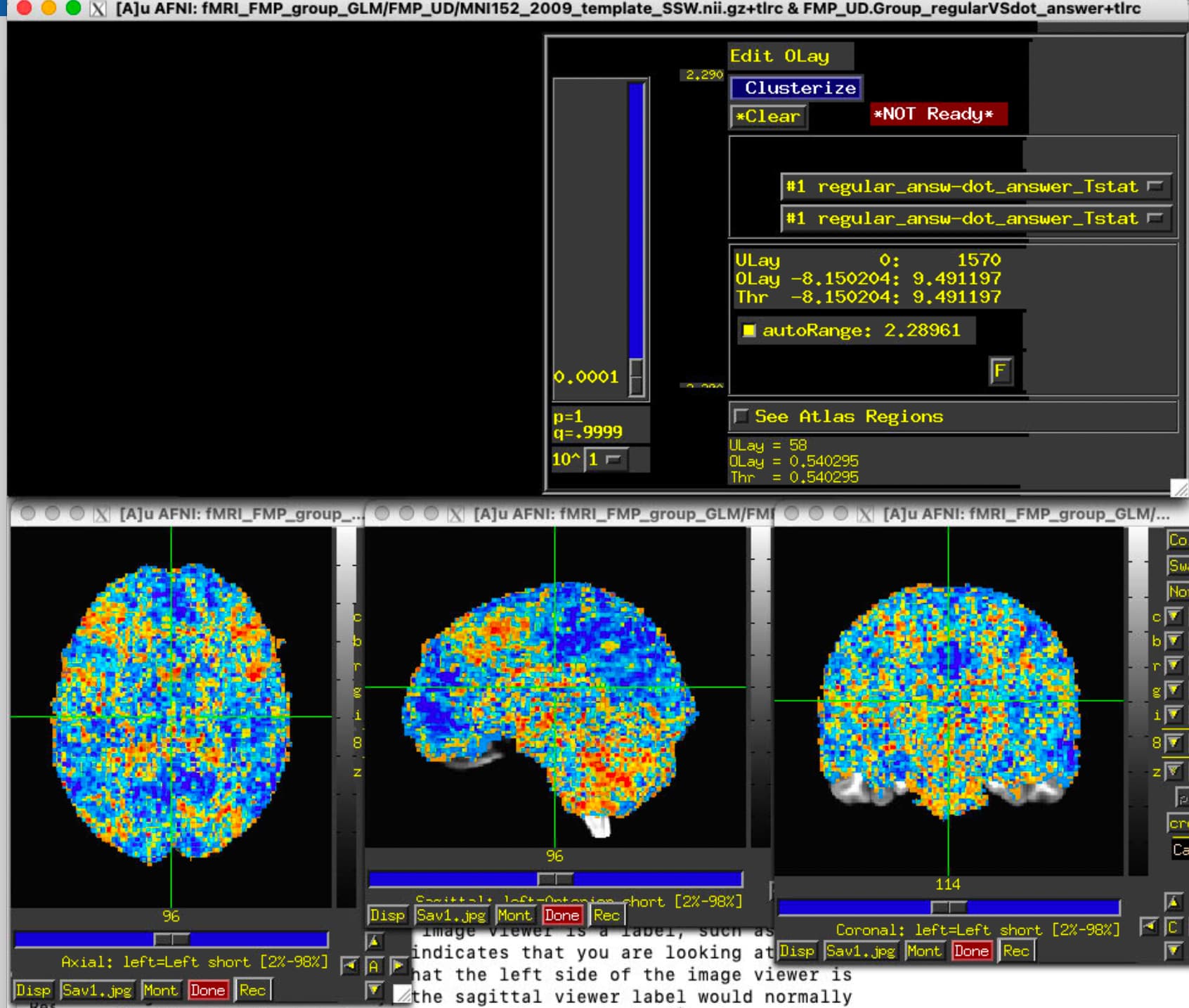
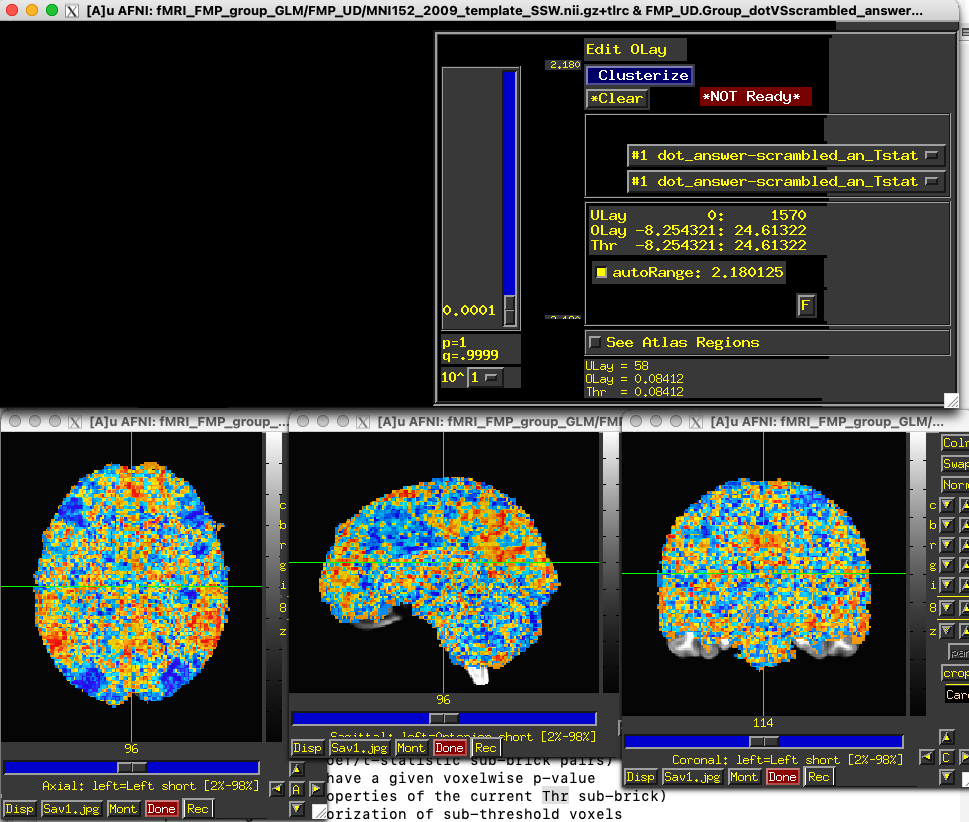
I'm facing the following issue - when I open AFNI and try to load anything for an overlay, everything blackens and the entire GUI is overlaid with black patches. Things and buttons still appear if you click the right place but only in a very limited fashion. I suspect that the issue has to do something with the latest Mac OS update to Tahoe 26.0.1 as it happens both on my computer and on a MacStudio and it worked perfectly fine just a couple days/weeks ago (before the update).
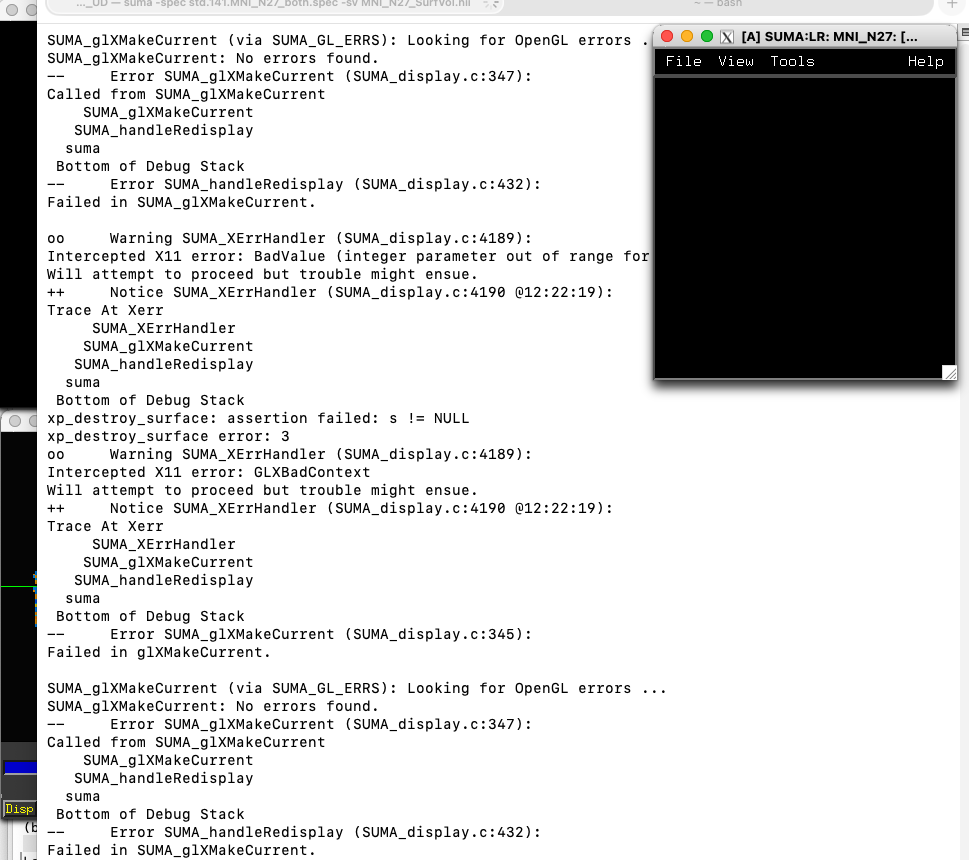
Similarly, I have an issue with SUMA. As it is the same issue yet again on both devices and it also looks the same - the SUMA window is completely dark, I believe it is a related issue. I'm getting the following errors:
oo     Warning SUMA_XErrHandler (SUMA_display.c:4189):
Intercepted X11 error: BadValue (integer parameter out of range for operation)
Will attempt to proceed but trouble might ensue.
++     Notice SUMA_XErrHandler (SUMA_display.c:4190 @16:37:20):
Trace At Xerr
      SUMA_XErrHandler
     SUMA_glXMakeCurrent
    SUMA_graphicsInit
   SUMA_X_SurfaceViewer_Create
  suma
 Bottom of Debug Stack
xp_destroy_surface: assertion failed: s != NULL
xp_destroy_surface error: 3
oo     Warning SUMA_XErrHandler (SUMA_display.c:4189):
Intercepted X11 error: GLXBadContext
Will attempt to proceed but trouble might ensue.
++     Notice SUMA_XErrHandler (SUMA_display.c:4190 @16:37:20):
Trace At Xerr
      SUMA_XErrHandler
     SUMA_glXMakeCurrent
    SUMA_graphicsInit
   SUMA_X_SurfaceViewer_Create
  suma
 Bottom of Debug Stack
--     Error SUMA_glXMakeCurrent (SUMA_display.c:345):
Failed in glXMakeCurrent.

SUMA_glXMakeCurrent (via SUMA_GL_ERRS): Looking for OpenGL errors ...
SUMA_glXMakeCurrent: No errors found.
--     Error SUMA_glXMakeCurrent (SUMA_display.c:347):
Called from SUMA_glXMakeCurrent
     SUMA_glXMakeCurrent
    SUMA_graphicsInit
   SUMA_X_SurfaceViewer_Create
  suma
 Bottom of Debug Stack
Error SUMA_graphicsInit: Failed in SUMA_glXMakeCurrent.
 	Continuing ...

vvvvvvvvvvvvvvvvvvvvvvvvvvvvSurface #1/14(Local Domain Parent), loading ...

vvvvvvvvvvvvvvvvvvvvvvvvvvvvSurface #8/14(Local Domain Parent), loading ...

vvvvvvvvvvvvvvvvvvvvvvvvvvvvSurface #2/14 (mappable via Local Domain Parent), loading ...

vvvvvvvvvvvvvvvvvvvvvvvvvvvvSurface #3/14 (mappable via Local Domain Parent), loading ...

vvvvvvvvvvvvvvvvvvvvvvvvvvvvSurface #4/14 (mappable via Local Domain Parent), loading ...

vvvvvvvvvvvvvvvvvvvvvvvvvvvvSurface #5/14 (mappable via Local Domain Parent), loading ...

vvvvvvvvvvvvvvvvvvvvvvvvvvvvSurface #6/14 (mappable via Local Domain Parent), loading ...

vvvvvvvvvvvvvvvvvvvvvvvvvvvvSurface #7/14 (mappable via Local Domain Parent), loading ...

vvvvvvvvvvvvvvvvvvvvvvvvvvvvSurface #9/14 (mappable via Local Domain Parent), loading ...

vvvvvvvvvvvvvvvvvvvvvvvvvvvvSurface #10/14 (mappable via Local Domain Parent), loading ...

vvvvvvvvvvvvvvvvvvvvvvvvvvvvSurface #11/14 (mappable via Local Domain Parent), loading ...

vvvvvvvvvvvvvvvvvvvvvvvvvvvvSurface #12/14 (mappable via Local Domain Parent), loading ...

vvvvvvvvvvvvvvvvvvvvvvvvvvvvSurface #13/14 (mappable via Local Domain Parent), loading ...

vvvvvvvvvvvvvvvvvvvvvvvvvvvvSurface #14/14 (mappable via Local Domain Parent), loading ...
SUMA_Engine: Starting to listen ...
oo     Warning SUMA_XErrHandler (SUMA_display.c:4189):
Intercepted X11 error: BadValue (integer parameter out of range for operation)
Will attempt to proceed but trouble might ensue.
++     Notice SUMA_XErrHandler (SUMA_display.c:4190 @16:37:22):
Trace At Xerr
     SUMA_XErrHandler
    SUMA_glXMakeCurrent
   SUMA_handleRedisplay
  suma
 Bottom of Debug Stack
xp_destroy_surface: assertion failed: s != NULL
xp_destroy_surface error: 3
oo     Warning SUMA_XErrHandler (SUMA_display.c:4189):
Intercepted X11 error: GLXBadContext
Will attempt to proceed but trouble might ensue.
++     Notice SUMA_XErrHandler (SUMA_display.c:4190 @16:37:22):
Trace At Xerr
     SUMA_XErrHandler
    SUMA_glXMakeCurrent
   SUMA_handleRedisplay
  suma
 Bottom of Debug Stack
--     Error SUMA_glXMakeCurrent (SUMA_display.c:345):
Failed in glXMakeCurrent.

SUMA_glXMakeCurrent (via SUMA_GL_ERRS): Looking for OpenGL errors ...
SUMA_glXMakeCurrent: No errors found.
--     Error SUMA_glXMakeCurrent (SUMA_display.c:347):
Called from SUMA_glXMakeCurrent
    SUMA_glXMakeCurrent
   SUMA_handleRedisplay
  suma
 Bottom of Debug Stack
--     Error SUMA_handleRedisplay (SUMA_display.c:432):
Failed in SUMA_glXMakeCurrent.

oo     Warning SUMA_XErrHandler (SUMA_display.c:4189):
Intercepted X11 error: BadValue (integer parameter out of range for operation)
Will attempt to proceed but trouble might ensue.
++     Notice SUMA_XErrHandler (SUMA_display.c:4190 @16:37:22):
Trace At Xerr
     SUMA_XErrHandler
    SUMA_glXMakeCurrent
   SUMA_handleRedisplay
  suma
 Bottom of Debug Stack
xp_destroy_surface: assertion failed: s != NULL
xp_destroy_surface error: 3
oo     Warning SUMA_XErrHandler (SUMA_display.c:4189):
Intercepted X11 error: GLXBadContext
Will attempt to proceed but trouble might ensue.
++     Notice SUMA_XErrHandler (SUMA_display.c:4190 @16:37:22):
Trace At Xerr
     SUMA_XErrHandler
    SUMA_glXMakeCurrent
   SUMA_handleRedisplay
  suma
 Bottom of Debug Stack
--     Error SUMA_glXMakeCurrent (SUMA_display.c:345):
Failed in glXMakeCurrent.
.
.
.
I would be happy to get any help or advice regarding this issue or how to fix it.
Best,
Jan
.
P.S. I know I might not get an answer right away, sorry.
I hope that I might have more luck now.
Meanwhile, I have updated mac os again on both devices to Tahoe 26.1, but I'm still experiencing the same issue. AFNI opens alright but when I try to add overlay, I get this:
Progress has been made. On my Tahoe laptop, there are now minor glitches that affect (mostly) the aesthetics, but not the substance. I'm referring to the AFNI GUI itself, not SUMA or other programs. Those require more inspection. That's why the updates we see haven't been released yet.
That is good to know, and I think we are very near putting in the code-based fixes that @rwcox123 , @dglen and @rickr have been working on. We are hoping to do a new build today, even, and so hopefully this will help resolve a lot of the Tahoe pain.
The updates from Bob are in, mildly polluted by Daniel and myself. Whether you are building or using official binaries, please update now and see how it goes:
@update.afni.binaries -defaults
Daniel is starting to attack the suma side of things, please be patient with that. But hopefully the afni GUI will be much better. Please let us know if you run into surprises.
Hi @rickr -- I've been forced to update my operating system to Tahoe, and I am now unable to open SUMA. I'm getting the following error.
oo Warning SUMA_XErrHandler (SUMA_display.c:4189):
Intercepted X11 error: BadValue (integer parameter out of range for operation)
Will attempt to proceed but trouble might ensue.
++ Notice SUMA_XErrHandler (SUMA_display.c:4190 @12:03:11):
Trace At Xerr
SUMA_XErrHandler
SUMA_glXMakeCurrent
SUMA_graphicsInit
SUMA_X_SurfaceViewer_Create
suma
Bottom of Debug Stack
xp_destroy_surface: assertion failed: s != NULL
xp_destroy_surface error: 3
oo Warning SUMA_XErrHandler (SUMA_display.c:4189):
Intercepted X11 error: GLXBadContext
Will attempt to proceed but trouble might ensue.
++ Notice SUMA_XErrHandler (SUMA_display.c:4190 @12:03:11):
Trace At Xerr
SUMA_XErrHandler
SUMA_glXMakeCurrent
SUMA_graphicsInit
SUMA_X_SurfaceViewer_Create
suma
Bottom of Debug Stack
The controller opens but the surface fails to render and this error is repeated until I kill the process. The afni GUI works, but the SUMA viewer is completely non-functional.
I have updated AFNI binaries and Xquartz, restarted, etc. Do you have any ideas on how to fix the issue?
Sorry, still slogging through this macOS change. So far, that's only on a development branch. You can change from beta user for life to alpha by running this script to build with changes for the SUMA GUI.
Yes, Daniel and I are still fighting with this when we can. Note that you could also set AFNI_DO_X11_REDRAW to REMANAGE in your ~/.afnirc file. At least then you would not need an alias, say. Sorry this is taking time.
Thank you guys for the hard work on the problem. I ran the build afni script and added the remanage flag to my call to SUMA, but it did not change the behavior.
I see a suma window, but no brain (or homer simpson) is drawn in the window, and I see the same repeating error. I've started with a new terminal, but this doesn't seem to help.
Here's the output for afni -version:
(base) adamsteel % afni -version
Precompiled binary macos_10.12_local: Jan 30 2026 (Version AFNI_26.0.08 'Pupienus Maximus')
It looks like AFNI did not get updated there because it still has the ancient, almost one month old version of AFNI. That's a precompiled version, so the one you tried to build didn't get there, or you have your path set to point to a different AFNI.
You can try to add the -package option like this for an ARM CPU (M1,M2,M4):
On my Sequoia Intel Mac, there was an issue with the gcc-13 compiler not finding its basic .h header files, so I used the clang C compiler that comes with the MacOS.
That C compiler is pretty old and seems to be under the old fink software distribution. Try using the one distributed with the operating system. If your system is Intel, then the package should be different too.
It might be good to verify what system you are using and such. It is a little odd that 'which gcc' shows the fink gcc-7, which does not seem to exist. Would you mind posting your system check output? That could be here, privately messaged or emailed.
afni_system_check.py -check_all
But given that fink is in your path and you are using those old binaries, it seems likely that you do not have a current homebrew package for building. If that is the case, you would either need to get a current homebrew or just wait until we put some of these changes into master.
Note that I am also seeing odd errors spew on ONE of my (formally thought of as identical) mac systems. So we will be pondering this in any case.
Editing this post because I have reached my "new user limit."
I've updated my homebrew, gcc, and xcode tools, but I'm still having issues with build_afni (althought it does progress to compiling).
Here is the tail of the log file:
type or paste code here

build_afni.py -build_root ~/afni_build -package macos_13_ARM -cc_path gcc-15

-- build_afni.py, version 0.18, September 25, 2025
-- current AFNI: AFNI_26.0.09, macos_10.12_local, Feb 23 2026
-- cleaning old build root dir, /Users/adamsteel/afni_build
-- backing up dir build_src
-- preparing build_root dir, /Users/adamsteel/afni_build
-- have default git tag LAST_TAG, will checkout AFNI_26.0.09
-- checking out git tag AFNI_26.0.09
-- using repo branch (detached), tag AFNI_26.0.09
-- removing old atlas dir, prev/afni_atlases_dist
-- moving old atlas dir afni_atlases_dist to prev/afni_atlases_dist
-- downloading AFNI atlas package, afni_atlases_dist.tgz
-- unpacking atlas package, afni_atlases_dist
-- removing old NiiVue backup, prev/niivue_afni.umd.js
-- moving old niivue niivue_afni.umd.js to prev/niivue_afni.umd.js
-- downloading NiiVue, niivue_afni.umd.js

-- preparing to run 'make' build of package macos_13_ARM
-- copying README files
-- copying Makefile.macos_13_ARM to Makefile
-- building make target 'itall'
** warning: -cc_path compiler does not exist, expect problems
-- specifying compiler via : LOCAL_CC_PATH=gcc-15
-- compiling with: make AFNI_WHOMADEIT=build LOCAL_CC_PATH=gcc-15 itall >& log_make.txt

-- consider monitoring the build in a separate window with:
       cd /Users/adamsteel
       tail -f /Users/adamsteel/afni_build/build_src/log_make.txt
       # use ctrl-c to terminate 'tail' command (not the build)
++ building (please be patient)...
** error: failed run_cmd: make AFNI_WHOMADEIT=build LOCAL_CC_PATH=gcc-15 itall >& log_make.txt
-- status: building FAILURE
   see 'make' log file /Users/adamsteel/afni_build/build_src/log_make.txt
** error: tail from log_make.txt:
   --------------------------------------------------
   /bin/rm -f pbar_color_defs.o
   gcc-15 -arch arm64 -DDARWIN -DARM_M1 -O1 -m64 -Wall -Wno-deprecated-declarations -Wcomment -Wformat -DUSE_TRACING -DHAVE_XDBE -DDONT_USE_MCW_MALLOC  -DMACOS_FORCE_EXPOSE -c pbar_color_defs.c -I. -I/opt/homebrew/include -I/opt/X11/include -I/usr/include -Icoxplot -Inifti/nifti2 -Inifti/niftilib -Inifti/nifticdf -Inifti/znzlib -I3DEdge/src -Irickr -Ileej3 -DHAVE_ZLIB -DHAVE_GIFTI  -If2c
   gcc-15: warning: this compiler does not support Arm64 ('-arch' option ignored)
   In file included from afni.h:11,
   from pbar_color_defs.c:1:
   imseq.h:20:10: fatal error: Xm/Xm.h: No such file or directory
   20 | #include <Xm/Xm.h>
   |          ^~~~~~~~~
   compilation terminated.
   make: *** [pbar_color_defs.o] Error 1
   --------------------------------------------------

** warning: in conda environment
   CONDA_SHLVL = 1, CONDA_DEFAULT_ENV = base

-- shell/system command history is in:
      /Users/adamsteel/afni_build/hist_commands.txt

++ screen text history is in:
      /Users/adamsteel/afni_build/hist_messages.txt
Okay, you have been bumped up a user level. Thanks for mentioning it.
I am not sure that you are actually on an ARM system. What is your CPU and current system version? If it is an Intel system you should probably use -package macos_12_x86_64 .
The missing Xm.h is concerning. Have you rebooted since installing XQuartz?
I have tried a few tricks in the message board (using homebrew to install openmotif, libomp, and gsl) and restarting again, but I haven't had luck so far.
My machine is an M1 max, so ARM should be correct, and running Tahoe 26.3.
Xm is on my machine at the following location: /usr/local/opt/openmotif/include/Xm/Xm.h
Is it possible that build_afni needs to be directed to this file when compiling?
The
National Institute of Mental Health (NIMH) is part of the National Institutes of
Health (NIH), a component of the U.S. Department of Health and Human
Services.