AFNI version info (afni -ver):
Precompiled binary macos_10.12_local: Mar 30 2026 (Version AFNI_26.0.11 'Pupienus Maximus')
I wasn't using AFNI for quite a long time, I am on a Mac and Tahoe was pushed to my computer in the meantime (I am NIH...)
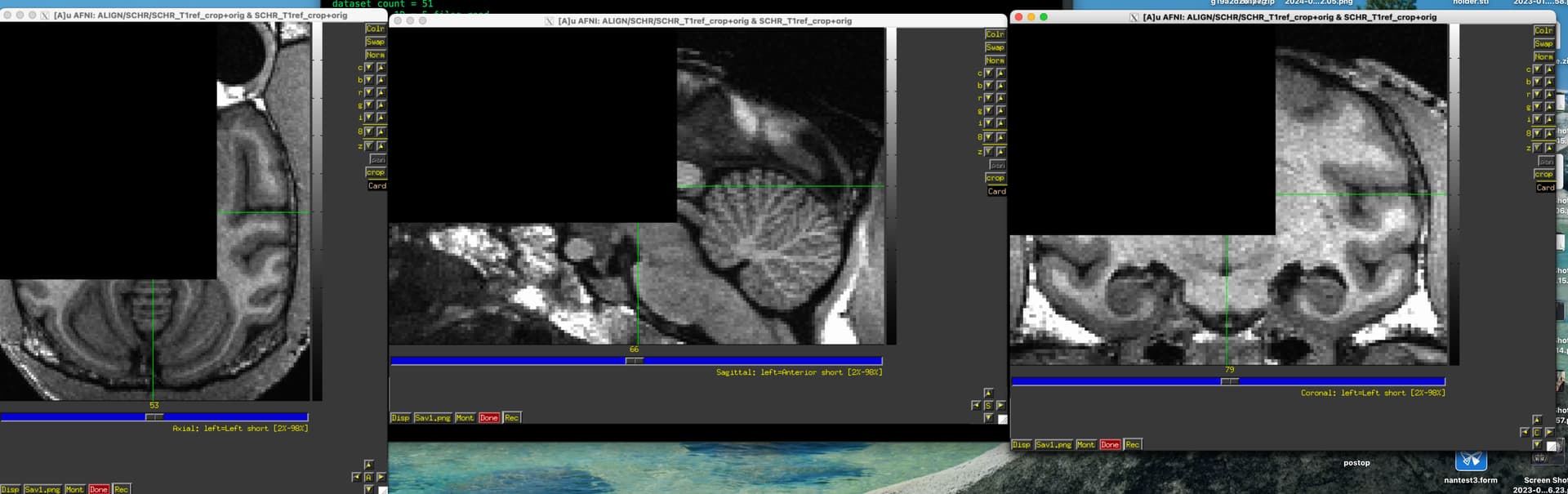
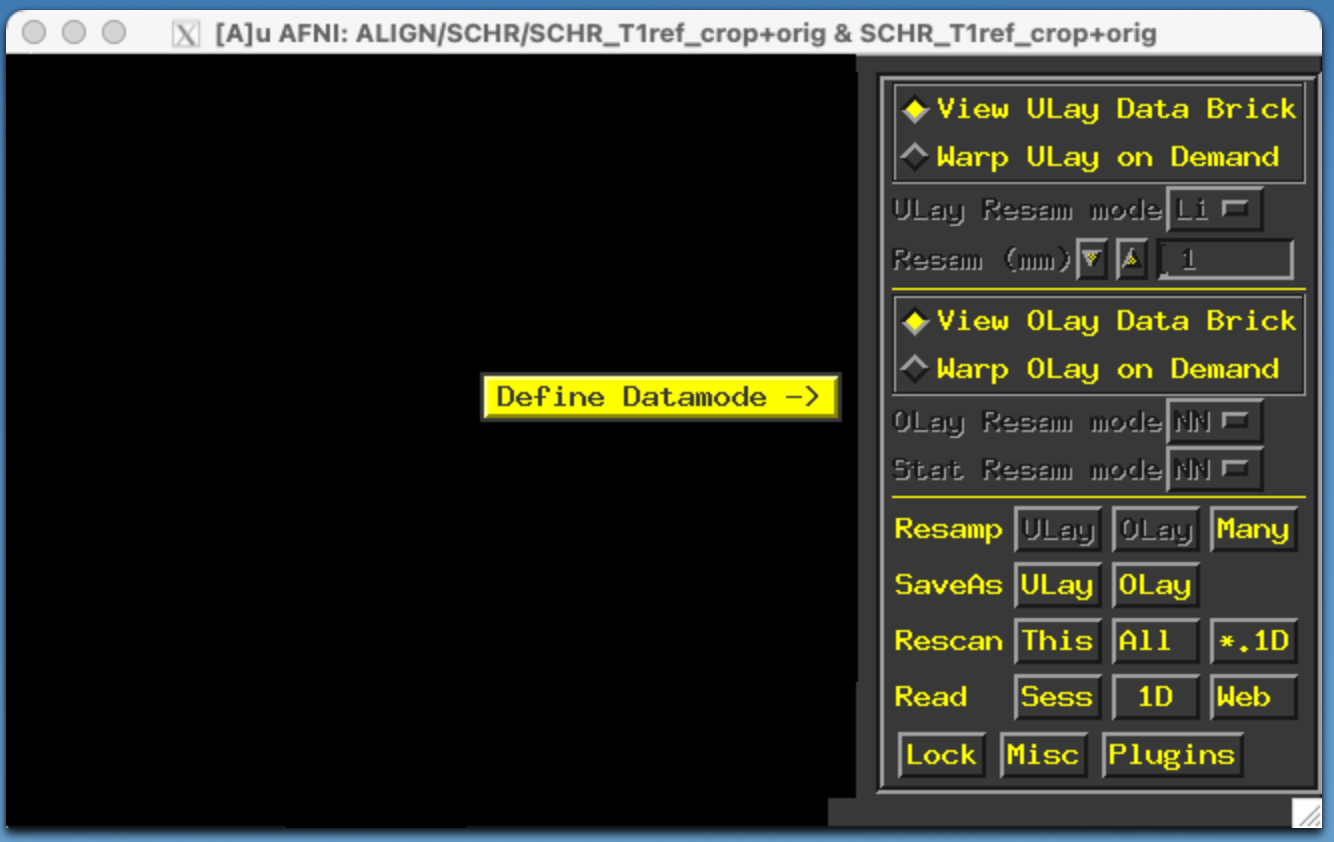
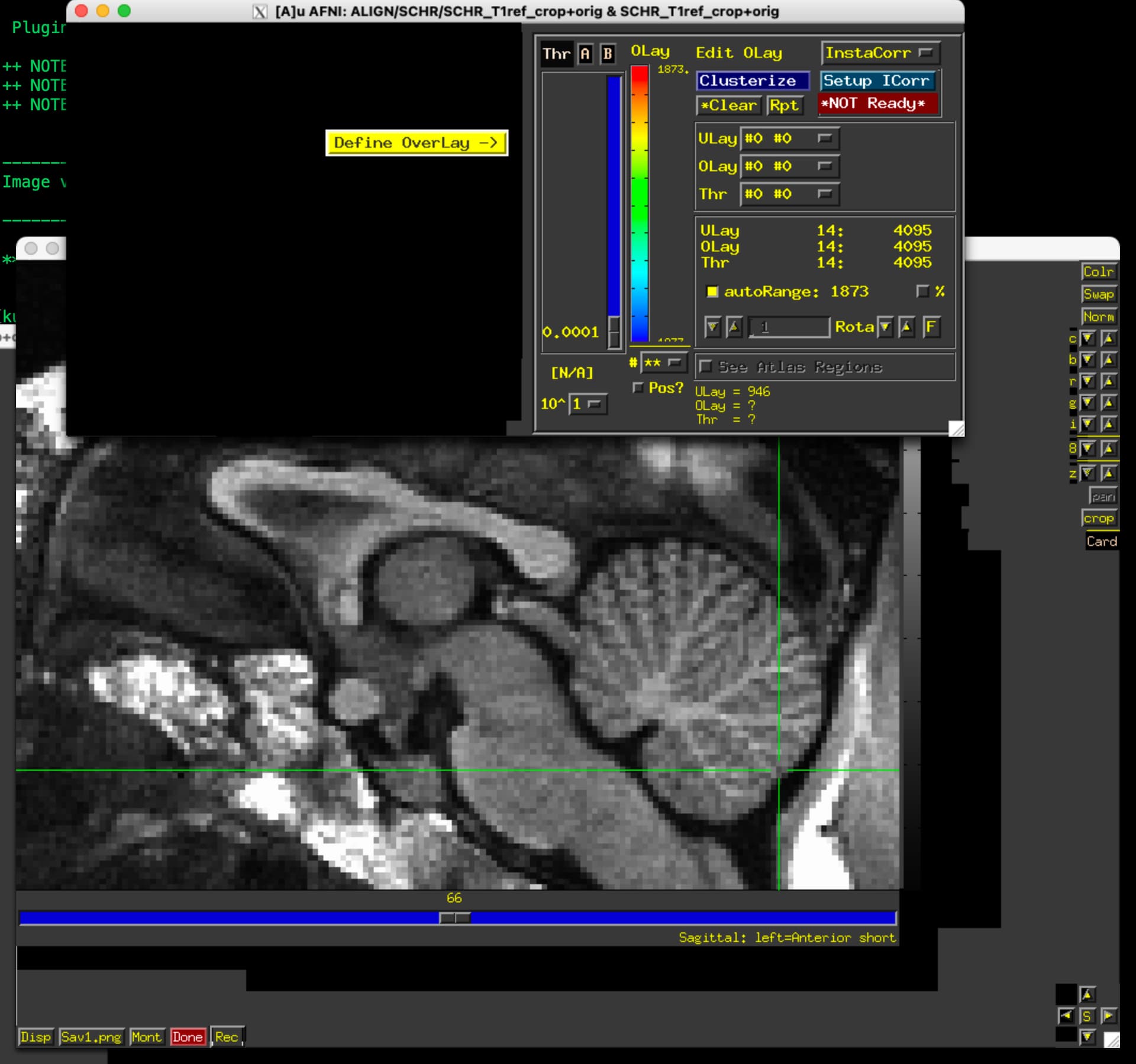
Today I updated AFNI, started it, and I am getting the black areas. Some can be fixed by resizing the window, some seem to be unfixable by any action. Is there anything I can do? Other than getting a Linux PC (Which would be ironic; I literally only got this Mac specifically for AFNI, I mostly work on Windows but NIH IT kept disabling every method of running Linux within Windows that I tried...)
This is an M1 Mac Studio with Tahoe 26.4. AFNI was originally installed on a previous OS version, using the regular installation method recommended at the time (~2022?). I have admin rights.
Using the old default binaries for prebuilt binaries may not work well here. Follow the instructions here to build from source for your ARM system. AFNI will automatically detect the Tahoe version of the OS and mitigate that window display problem. Even with the prebuilt version though, you may be able to work around with recent builds that include the fixes for this with an AFNI environment variable by setting it in your .afnirc file or on the command line like this.
Thank you both!
Yes I read that thread. I hoped that - as it suggests - the workaround that you made would fix the issue for me. But it did not, at least not fully.
Daniel, I think you intended to give me a link to the instructions "Follow the instructions here" but I do not see the link, can I have it, please?
I removed my original afni installation and followed the NIH-specific instructions (even though this is on a computer for which I have admin rights). I ran the "AFNI dependencies" thing from self-service, restarted when it told me to, and then downloaded and ran the script.
Here is what happened:
++ building (please be patient)...
** error: failed run_cmd: make AFNI_WHOMADEIT=build LOCAL_CC_PATH=/usr/bin/gcc itall >& log_make.txt
-- status: building FAILURE
   see 'make' log file /Users/kusmierekp2/afni_build/build_src/log_make.txt
** error: tail from log_make.txt:
   --------------------------------------------------
   114 warnings generated.
   /bin/rm -f pbar_color_defs.o
   /usr/bin/gcc -arch arm64 -DDARWIN -DARM_M1 -O1 -m64 -Wall -Wno-deprecated-declarations -Wcomment -Wformat -DUSE_TRACING -DHAVE_XDBE -DDONT_USE_MCW_MALLOC  -DMACOS_FORCE_EXPOSE -c pbar_color_defs.c -I. -I/opt/homebrew/include -I/opt/X11/include -I/usr/include -Icoxplot -Inifti/nifti2 -Inifti/niftilib -Inifti/nifticdf -Inifti/znzlib -I3DEdge/src -Irickr -Ileej3 -DHAVE_ZLIB -DHAVE_GIFTI  -If2c
   In file included from pbar_color_defs.c:1:
   In file included from ./afni.h:11:
   ./imseq.h:20:10: fatal error: 'Xm/Xm.h' file not found
   20 | #include <Xm/Xm.h>
   |          ^~~~~~~~~
   1 error generated.
   make: *** [pbar_color_defs.o] Error 1
   --------------------------------------------------


-- shell/system command history is in:
      /Users/kusmierekp2/afni_build/hist_commands.txt

++ screen text history is in:
      /Users/kusmierekp2/afni_build/hist_messages.txt

rehash
if ( ! 0 ) then
echo ++ setting R_LIBS=/Users/kusmierekp2/sw/R-4.3.1
++ setting R_LIBS=/Users/kusmierekp2/sw/R-4.3.1
setenv R_LIBS /Users/kusmierekp2/sw/R-4.3.1
echo export R_LIBS=/Users/kusmierekp2/sw/R-4.3.1
echo export R_LIBS=/Users/kusmierekp2/sw/R-4.3.1
echo setenv R_LIBS /Users/kusmierekp2/sw/R-4.3.1
else
if ( ! -d /Users/kusmierekp2/sw/R-4.3.1/data.table ) then
echo ++ building R libraries: rPkgsInstall -pkgs ALL
++ building R libraries: rPkgsInstall -pkgs ALL
mkdir -p /Users/kusmierekp2/sw/R-4.3.1
rPkgsInstall -pkgs ALL
tee out.rPkgsInstall.txt

** ERROR: Failed to load R_io.so
Sorry, this is taking too long to solve. We had another problem recently a little like this with mixed Intel-ARM binary installations of the various pieces (homebrew, R, gcc,...) that caused confusion. This problem might be similar or not .... We can discuss this off-line or in-person if this drags on. We now check for which kinds of binaries are there with this:
The
National Institute of Mental Health (NIMH) is part of the National Institutes of
Health (NIH), a component of the U.S. Department of Health and Human
Services.