Hi, Gregor-
Glad you are enjoying @chauffeur_afni!
The colorbar only goes from [-X, X] or [0, X], where X>0.
However, there is a cheating way around this, by defining your own colorbar, and putting 'none' as a value >0. What I mean by that can be seen by comparing these examples (using AFNI Bootcamp data, in ~/AFNI_data6/FT/):
Case of discrete colorbar ranges:
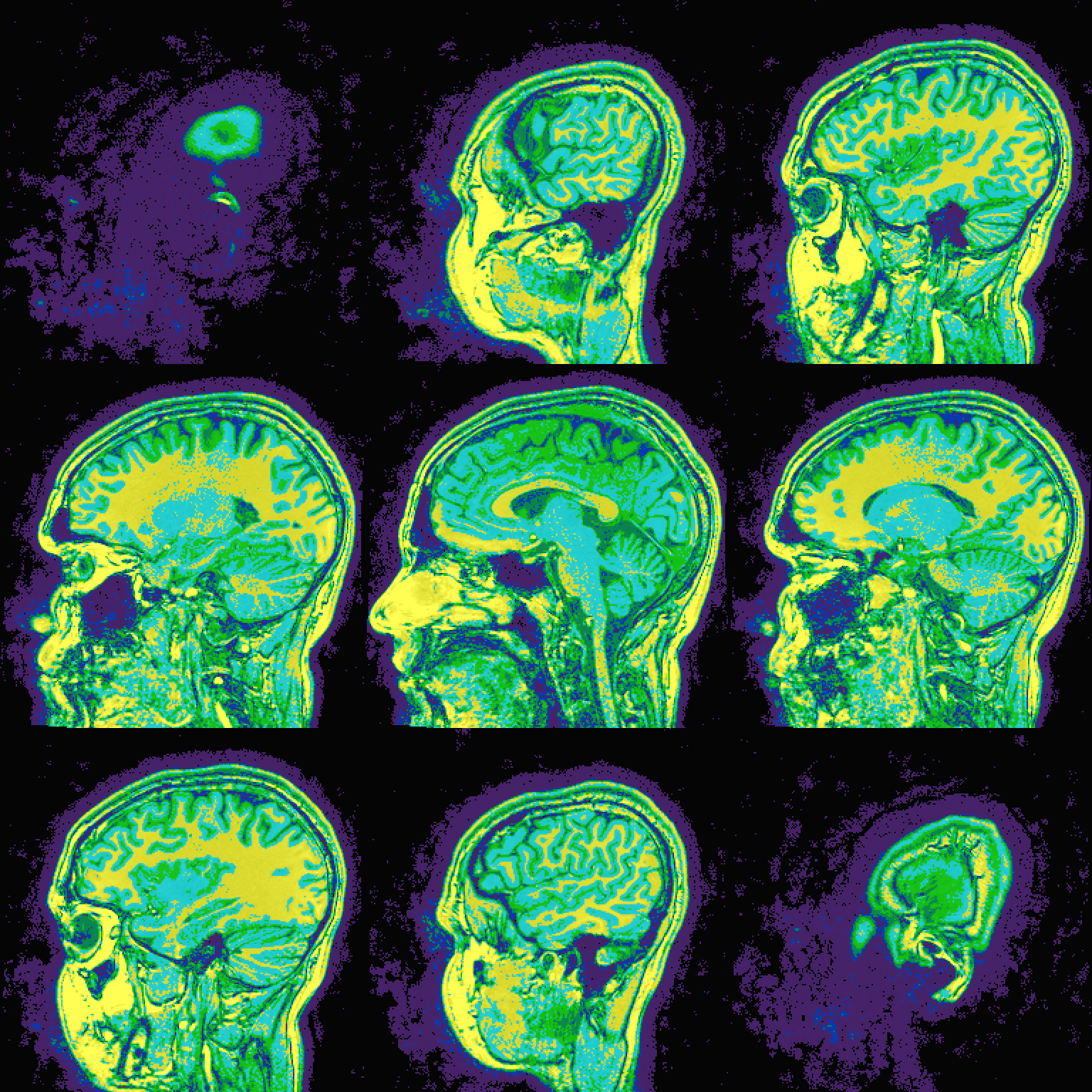
# case AAA: colorbar is 'full' down to zero
@chauffeur_afni                                                              \
    -ulay             FT_anat+orig.                                          \
    -olay             FT_anat+orig.                                          \
    -func_range_perc  95                                                     \
    -prefix           AAA                                                    \
    -pbar_saveim      AAA.cbar.jpg                                           \
    -pbar_posonly                                                            \
    -cbar_ncolors     6                                                      \
    -cbar_topval      ""                                                     \
    -cbar             "1000=yellow 800=cyan 600=rbgyr20_10 400=rbgyr20_08 200=rbgyr20_05 100=rbgyr20_03 0=none"

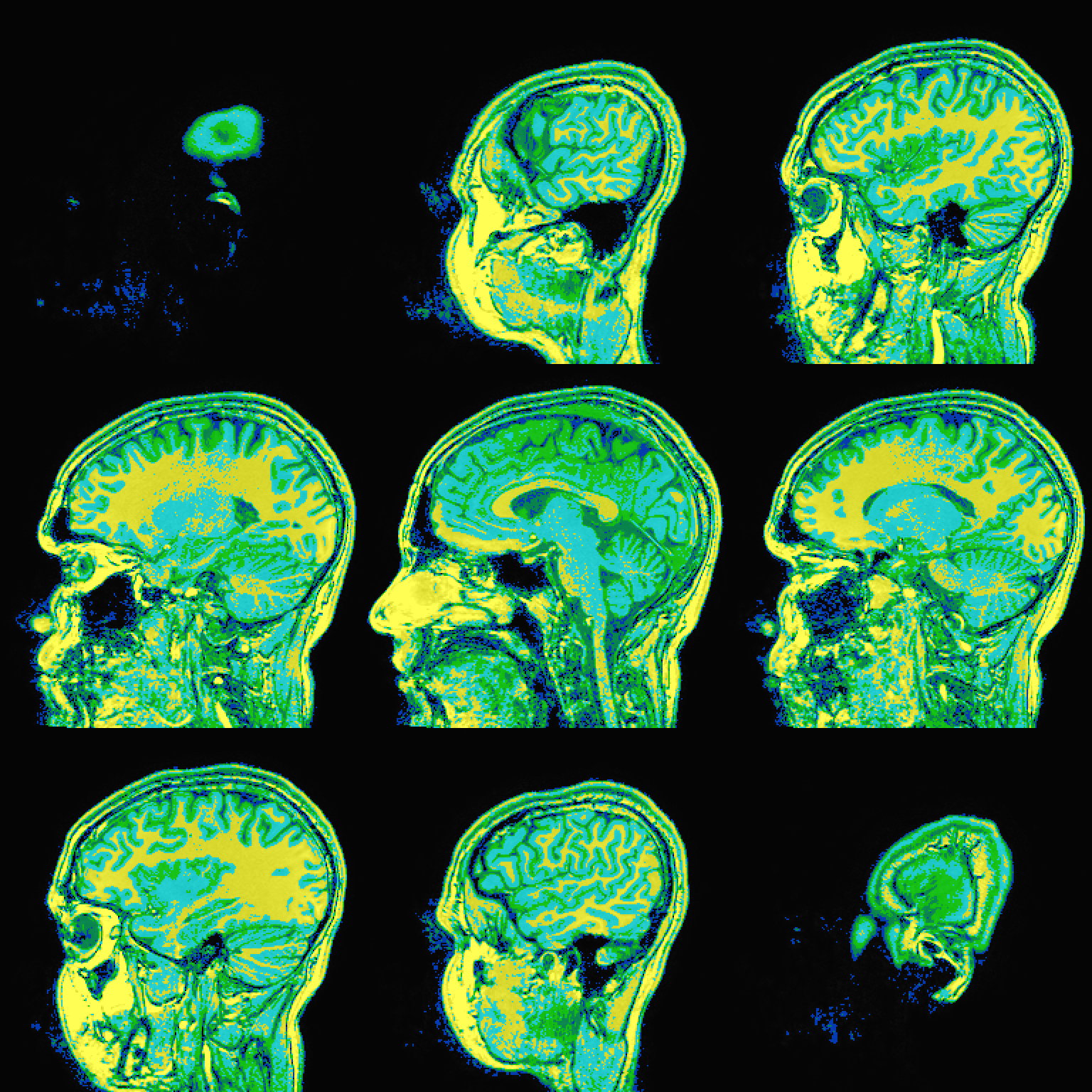
# case BBB: same cbar as AAA, but clipping out values from <100
@chauffeur_afni                                                              \
    -ulay             FT_anat+orig.                                          \
    -olay             FT_anat+orig.                                          \
    -func_range_perc  95                                                     \
    -prefix           BBB                                                    \
    -pbar_saveim      BBB.cbar.jpg                                           \
    -pbar_posonly                                                            \
    -cbar_ncolors     6                                                      \
    -cbar_topval      ""                                                     \
    -cbar             "1000=yellow 800=cyan 600=rbgyr20_10 400=rbgyr20_08 200=rbgyr20_05 100=none"
The results of the image+cbar for each of those are (just using "sag" view and cbar):
-
AAA:

-
BBB:

Note that the black/white in the bottom of the "BBB" case is actually empty/void, and you don't see those colors.
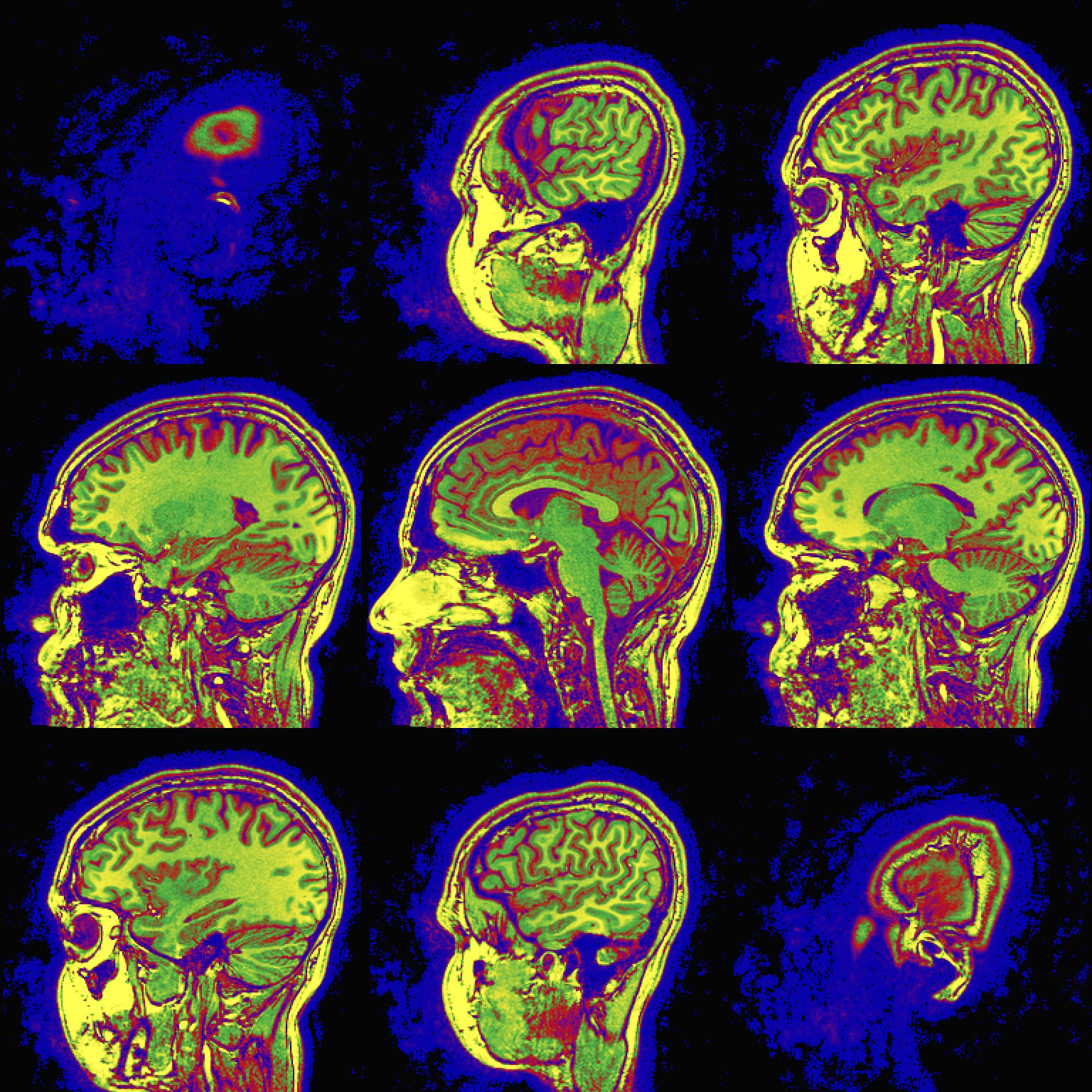
Case of smooth/continuous colorbars, where new_cbar_CCC.pal is this short file:
Yellow-Lime-Red-Blue
  1.0 #ffff00
  0.7 limegreen
  0.5 #ff0000
  0.3 #aa00aa
  0.0 #0000ff
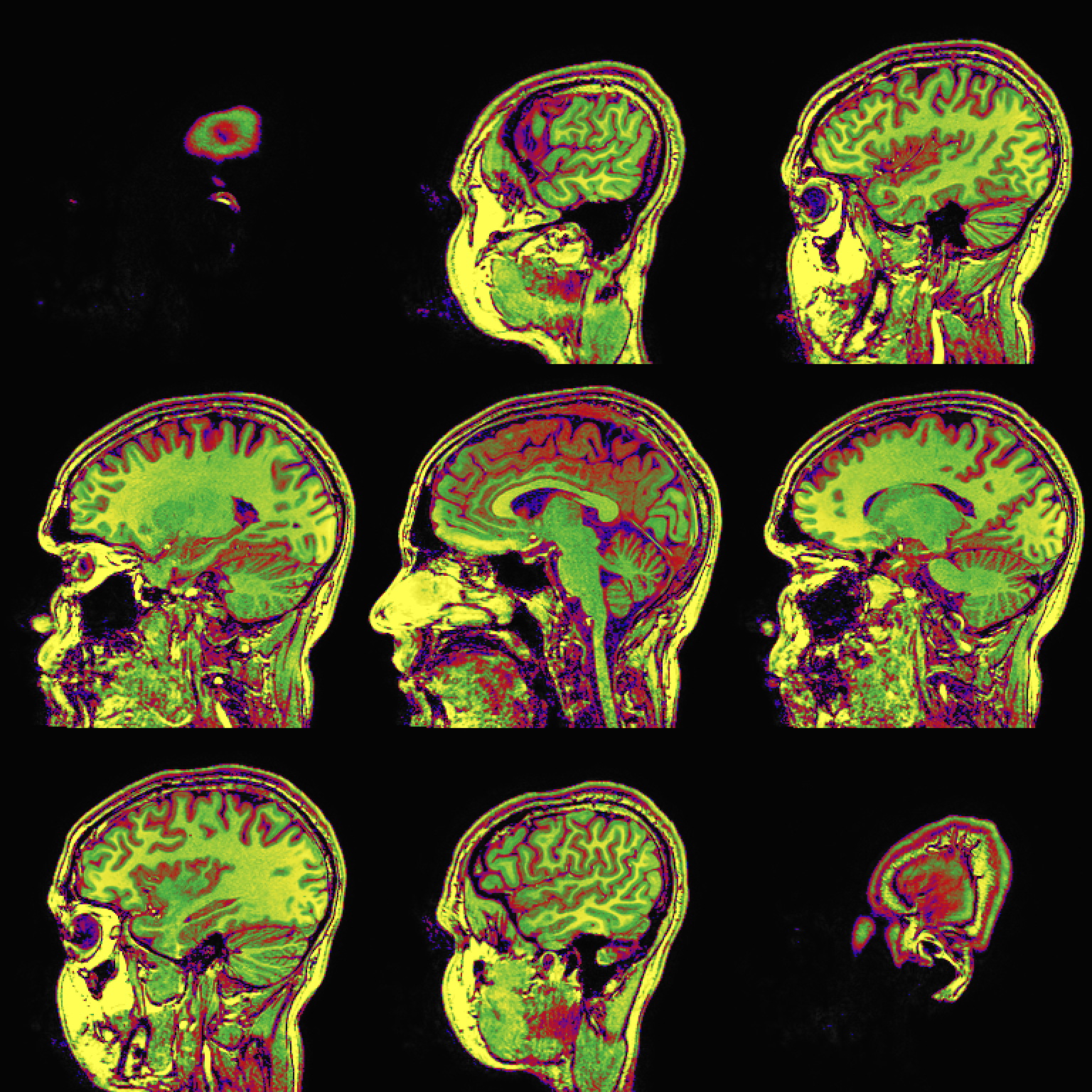
and new_cbar_DDD.pal is this short file (the break happens by having exact-zero-color starting as a duplicate of the bottom actual-color range):
Yellow-Lime-Red-Blue-stop
  1.0 #ffff00
  0.7 limegreen
  0.5 #ff0000
  0.3 #aa00aa
  0.2 #0000ff
  0.2 #000000
  0.0 #000000
And then these commands:
@chauffeur_afni                                                              \
    -ulay             FT_anat+orig.                                          \
    -olay             FT_anat+orig.                                          \
    -func_range_perc  95                                                     \
    -prefix           CCC                                                    \
    -pbar_saveim      CCC.cbar.jpg                                           \
    -pbar_posonly                                                            \
    -colorscale_idx_file 01 new_cbar_CCC.pal

@chauffeur_afni                                                              \
    -ulay             FT_anat+orig.                                          \
    -olay             FT_anat+orig.                                          \
    -func_range_perc  95                                                     \
    -prefix           DDD                                                    \
    -pbar_saveim      DDD.cbar.jpg                                           \
    -pbar_posonly                                                            \
    -colorscale_idx_file 02 new_cbar_DDD.pal
... produce:
-
CCC:

-
DDD:

So, those are a couple of ways you can "fake" having a nonzero lower bound to your cbar. The reason why it is "faking" it is that there still is a zero bound, but it is filled in with emptiness.
--pt